Responding to Join Requests
Section titled “Responding to Join Requests”Accept or Decline Requests to Join Your Project
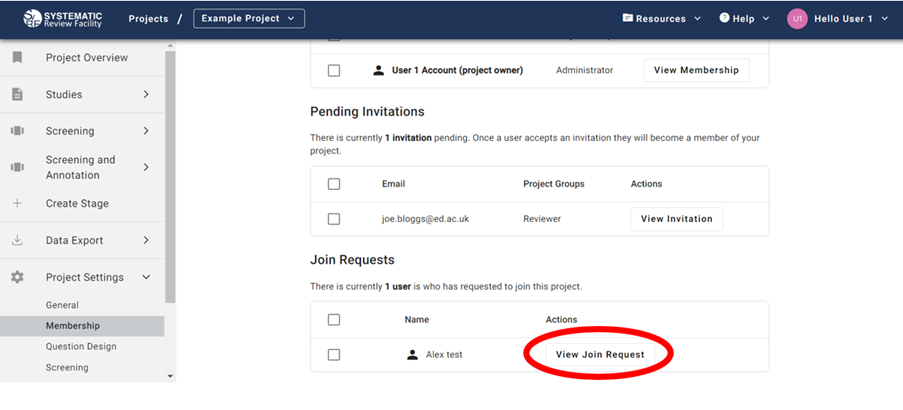
Section titled “Accept or Decline Requests to Join Your Project”As an adminstrator, you are able to view join requests submitted by users. To do so, go to Project Settings > Membership and scroll down the Join Requests table. You should click on ‘View Join Request’ to accept or decline the request.